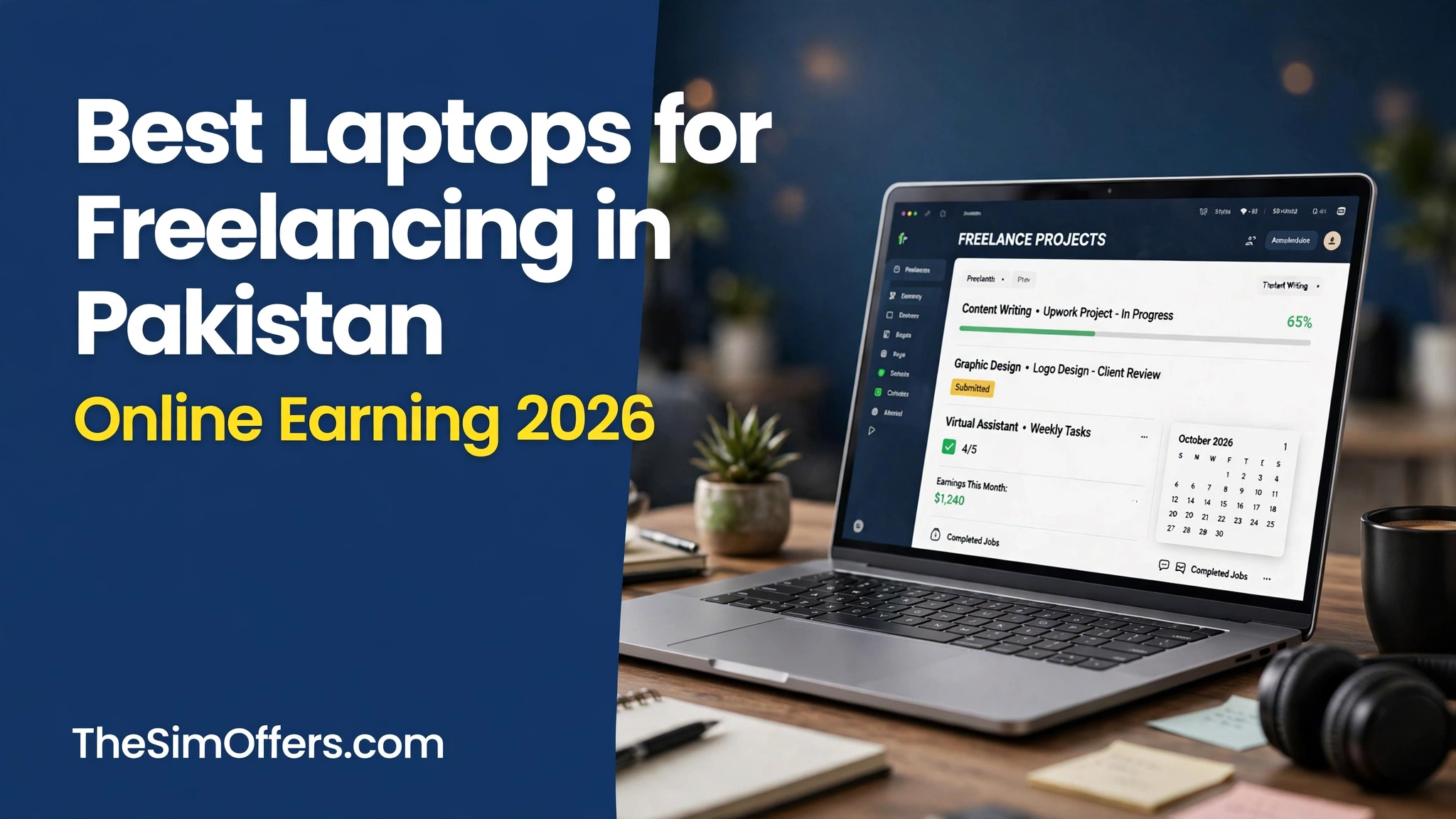
Freelancing needs a laptop that is fast, light, and lasts long on battery. Your laptop is your office. In this guide, TheSimOffers compares 12 laptops for freelancing and online earning in Pakistan. We cover writing, coding, design, and video work for Fiverr and Upwork. Prices are from the Pakistan market in October 2026.
First Decide: What Work Do You Do?
Not every freelancer needs the same laptop. Before you buy, look at the work you do — it will save you money and stop you from buying the wrong laptop.
Writing, virtual assistance and data entry: You need a good keyboard, 8GB RAM and a bright screen. An expensive processor or graphics card is not needed. For this work, a used business laptop from Rs 65,000 to Rs 90,000 is enough.
Coding and development: Get 16GB RAM, a fast processor and a 512GB SSD. You run a code editor, many browser tabs and testing tools at the same time, so 8GB RAM runs out fast.
Graphic design and UI design: The screen matters most. Get an OLED screen or one with 100% sRGB / 100% DCI-P3, so the colours look to the client exactly as you made them. 16GB RAM is also needed.
Video editing: Get Apple Silicon (M1, M2, M4) or a laptop with a dedicated GPU, and 16GB RAM or more. Video files are large, so you need at least a 512GB SSD.
Client calls and meetings: Do not forget to check the webcam and mic. The client sees you on a video call — a clear 720p webcam and a clean mic are your first impression. Always test these in the shop when you buy a used laptop.
Best Picks by Work — At a Glance
| Work | Best Pick | Price in Pakistan | Why This One? |
|---|---|---|---|
| Design and video | Apple MacBook Air M4 13-inch | Around Rs 340,000 | True colours, silent, 15-18 hours battery |
| Design, on a low budget | Apple MacBook Air M1 13-inch | Around Rs 190,000 | Budget Mac, 512GB SSD, long battery |
| Design, on Windows | ASUS Zenbook 14 OLED | Around Rs 288,999 | OLED true colours, light, touch screen |
| Writing and client calls | Lenovo ThinkPad X1 Carbon Gen 9 | Around Rs 128,000 | Best keyboard, 1.13 kg, professional look |
| Coding and office work | Dell Vostro 3520 | Around Rs 126,000 | 16GB RAM, 1TB SSD, new laptop |
| Starting out, low budget | Lenovo ThinkPad T480 | Around Rs 65,000 | Cheapest good start, easy to upgrade |
Prices are approximate. Check the seller before you buy.
For Design and Video Work
If you work on Photoshop, Figma, Premiere Pro or CapCut, the screen and battery are your first need. These four laptops are best for this work.
Apple MacBook Air M4 13-inch
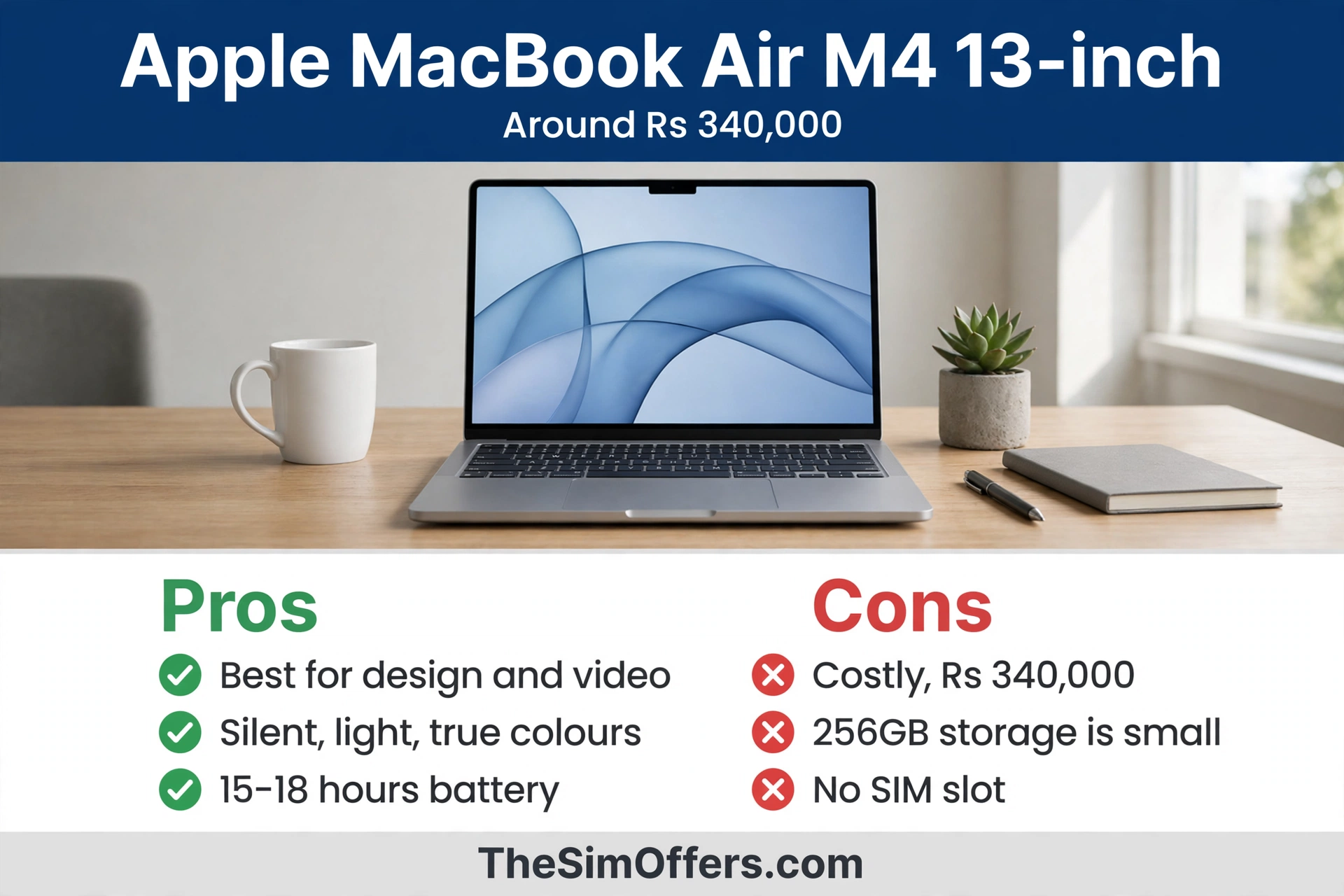
Pick this one up and the first thing you notice is how quiet it is. There is no fan noise at all, even when you have Photoshop and a browser full of tabs open. The screen shows colours the way your client will see them, which matters a lot when you deliver design work. The battery lasts a full working day, around 15 to 18 hours, so you can work from a cafe or a co-working space without looking for a plug. The price is the hard part. At around Rs 340,000 it costs more than most freelancers earn in their first few months, and 256GB storage fills up fast with video files.
Who should buy it: designers and video editors who already have regular clients on Fiverr or Upwork.
Who should skip it: new freelancers, or anyone whose work is mostly writing, VA work or coding — a much cheaper laptop does that job just as well.
Pros:
- ✅ Best for design and video
- ✅ Silent, light, true colours
- ✅ 15-18 hours battery
Cons:
- ❌ Costly, Rs 340,000
- ❌ 256GB storage is small
- ❌ No SIM slot
Price in Pakistan: Around Rs 340,000 (new, 16GB / 256GB)
Processor: Apple M4, 10-core CPU
RAM: 16GB unified memory
Storage: 256GB SSD
Display: 13.6-inch Liquid Retina, 100% DCI-P3
Battery: Around 15 to 18 hours
Weight: Around 1.24 kg
SIM / 4G Support: No built-in SIM slot. Use a phone hotspot with a Jazz, Zong, Telenor, Ufone or Onic SIM, or a USB dongle.
Best for: This is best for designers, video editors, and iOS developers on Fiverr and Upwork. It is silent, light, and the screen shows true colours. It is costly, but it earns its price if you get regular clients.
Apple MacBook Air M2 13-inch
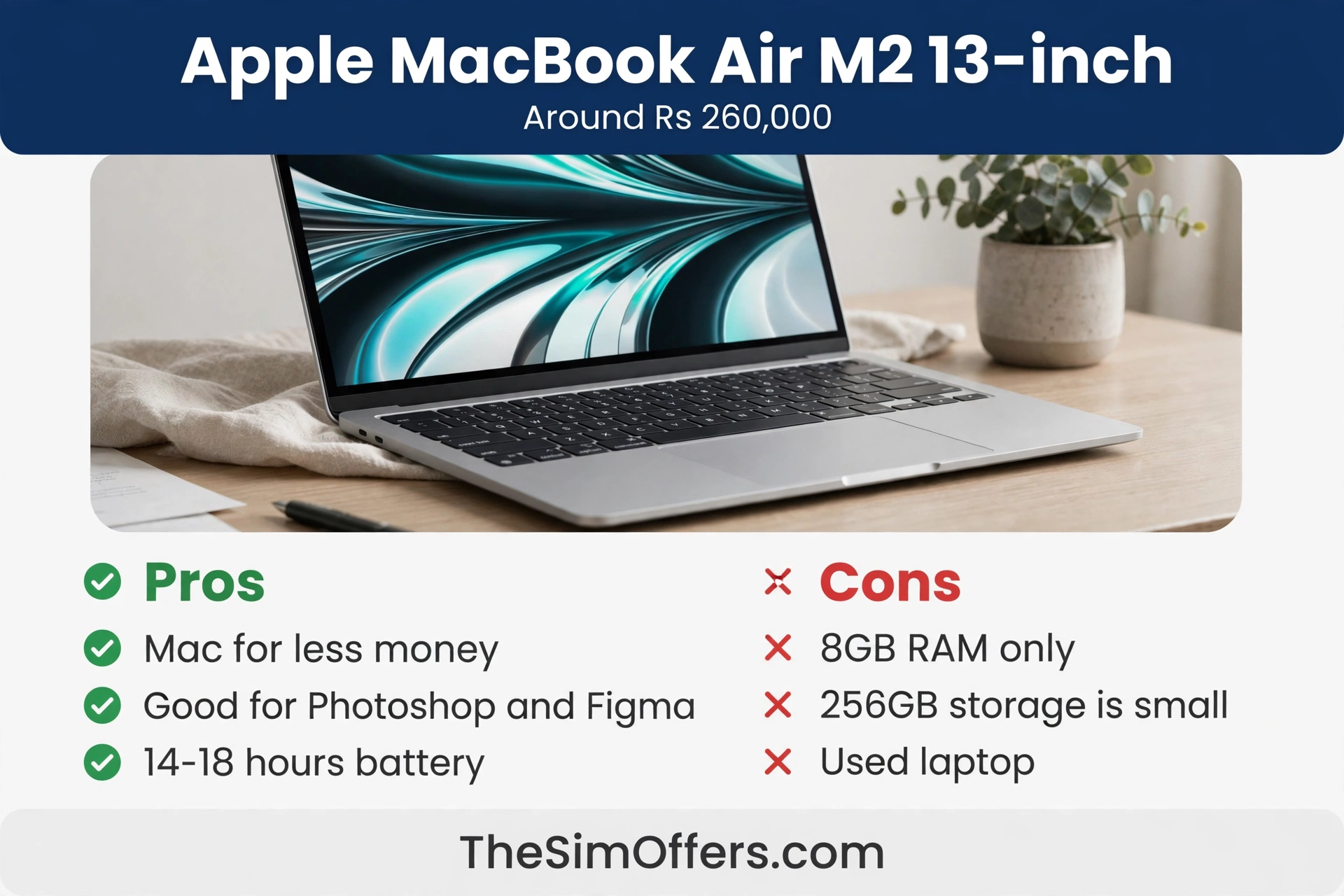
This is the Mac for people who want one but cannot pay M4 prices. It looks and feels almost the same as the newer model, and it runs Photoshop, Figma and light video work without trouble. The screen is bright and sharp, and the battery goes for 14 to 18 hours, which is a big help during load shedding. The weak point is the 8GB RAM. It is fine for design and writing, but if you open many heavy apps at once, the laptop starts to slow down. Since most units on sale are used, check the battery health in the shop before you pay.
Who should buy it: designers and writers who want a Mac and have around Rs 260,000 to spend.
Who should skip it: video editors and coders who need 16GB RAM — get the 16GB model or a Windows laptop instead.
Pros:
- ✅ Mac for less money
- ✅ Good for Photoshop and Figma
- ✅ 14-18 hours battery
Cons:
- ❌ 8GB RAM only
- ❌ 256GB storage is small
- ❌ Used laptop
Price in Pakistan: Around Rs 260,000 (used, 8GB / 256GB, price range around Rs 250,000 to Rs 280,000 for good used units)
Processor: Apple M2
RAM: 8GB unified memory
Storage: 256GB SSD
Display: 13.6-inch Liquid Retina
Battery: Around 14 to 18 hours
Weight: Around 1.24 kg
SIM / 4G Support: No built-in SIM slot. Use a phone hotspot with a Jazz, Zong, Telenor, Ufone or Onic SIM, or a USB dongle.
Best for: This is best for designers and writers who want a Mac for less money. It is good for Photoshop, Figma, and light video work. Get the 16GB model if you can.
Apple MacBook Air M1 13-inch
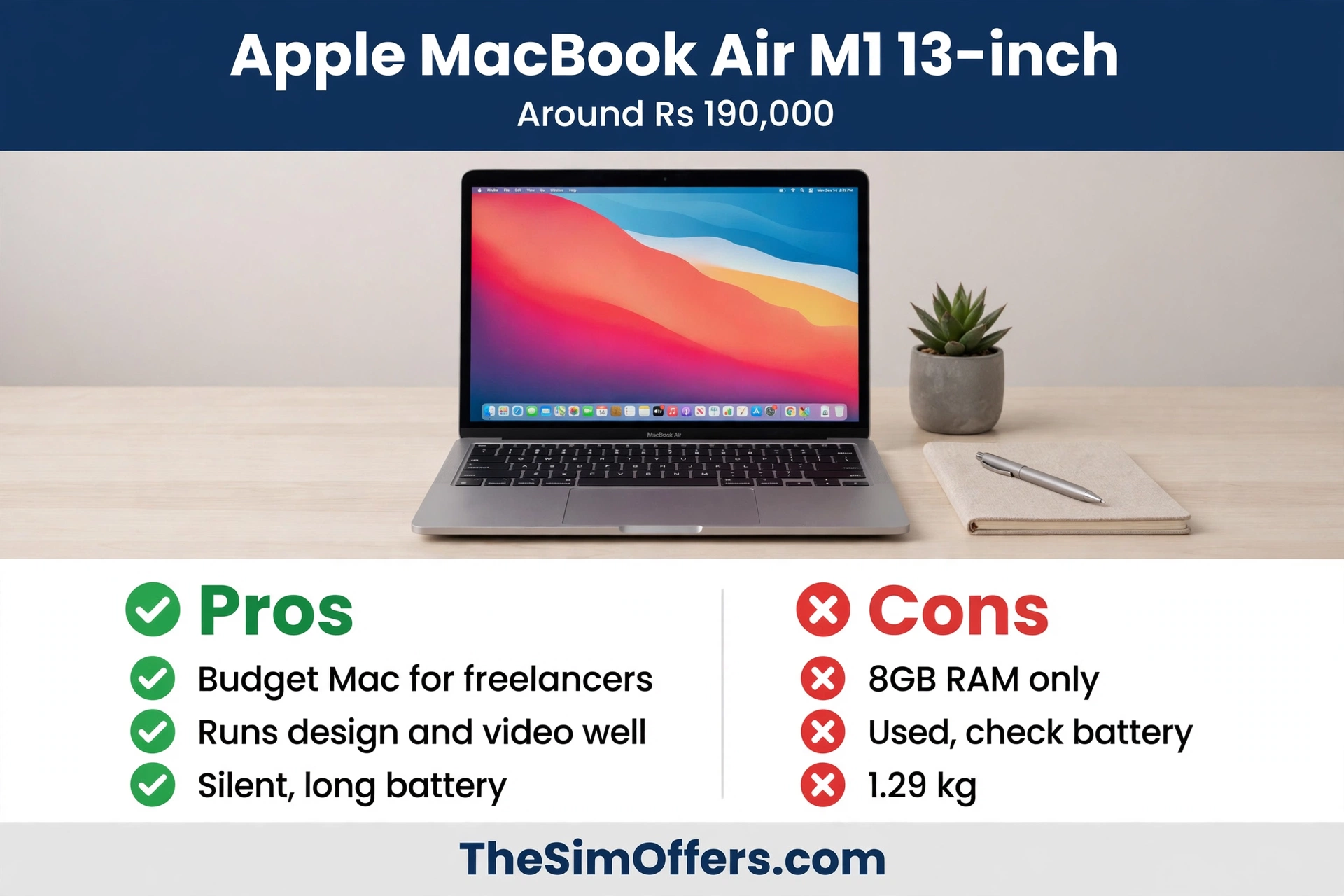
The M1 is old now, but it still does the job. It opens design apps fast, stays silent, and the battery lasts 12 to 15 hours. For a freelancer starting out, the best thing about it is the 512GB storage — you get double the space of the M2 in this list, and that matters when your files grow. The screen is smaller and older than the M2 and M4, and 8GB RAM is the limit here. This is a used laptop, so the battery may not be as strong as it was when new. Test it in the shop and ask how many charge cycles it has.
Who should buy it: new freelancers who want a Mac on a budget and do design or light video work.
Who should skip it: anyone who needs a new laptop with warranty, or heavy video editors who need more RAM.
Pros:
- ✅ Budget Mac for freelancers
- ✅ Runs design and video well
- ✅ Silent, long battery
Cons:
- ❌ 8GB RAM only
- ❌ Used, check battery
- ❌ 1.29 kg
Price in Pakistan: Around Rs 190,000 (used, 8GB / 512GB, price range around Rs 164,000 to Rs 250,000)
Processor: Apple M1
RAM: 8GB unified memory
Storage: 512GB SSD
Display: 13.3-inch Retina
Battery: Around 12 to 15 hours
Weight: Around 1.29 kg
SIM / 4G Support: No built-in SIM slot. Use a phone hotspot with a Jazz, Zong, Telenor, Ufone or Onic SIM, or a USB dongle.
Best for: This is best for new freelancers who want a Mac on a budget. It still runs design and video apps well. It is silent and the battery lasts long. Check the battery health before you buy a used unit.
ASUS Zenbook 14 OLED — Core Ultra 7
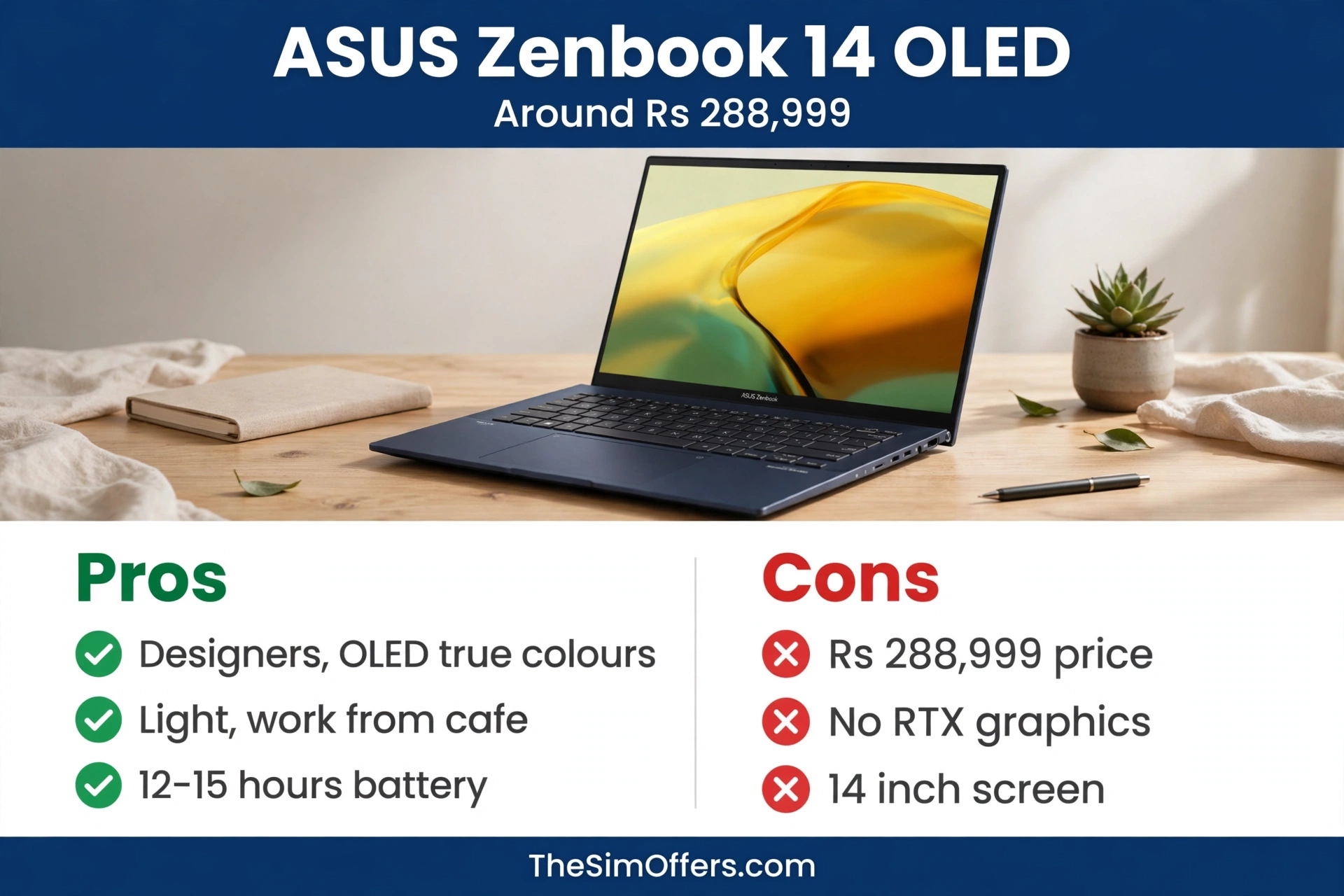
The screen is the reason to buy this laptop. The OLED panel shows deep blacks and bright, true colours, and you can see the difference the moment you open a design file. It is also a touch screen, which some designers like for quick work in Figma. At 1.28 kg it is light enough to carry to a cafe, and the battery lasts 12 to 15 hours for normal work. It is not a gaming laptop — there is no RTX graphics card — so heavy 3D and video rendering will take longer. The price is high, but you are paying for the screen.
Who should buy it: graphic designers and UI designers who work on Windows and care about colour.
Who should skip it: video editors who need a GPU, and anyone on a tight budget.
Pros:
- ✅ Designers, OLED true colours
- ✅ Light, work from cafe
- ✅ 12-15 hours battery
Cons:
- ❌ Rs 288,999 price
- ❌ No RTX graphics
- ❌ 14 inch screen
Price in Pakistan: Around Rs 288,999 (new, 16GB / 512GB)
Processor: Intel Core Ultra 7 155H
RAM: 16GB
Storage: 512GB SSD
Display: 14-inch OLED Touch, 100% DCI-P3
Battery: Around 12 to 15 hours for normal work
Weight: Around 1.28 kg
SIM / 4G Support: No built-in SIM slot. Use a phone hotspot with a Jazz, Zong, Telenor, Ufone or Onic SIM, or a USB dongle.
Best for: This is best for graphic designers and UI designers on Fiverr. The OLED screen shows bright and true colours. It is light, so you can work from a cafe or a co-working space.
For Writing, Coding and Client Calls
Writers, coders and virtual assistants need a good keyboard, RAM and light weight — the laptop stays with you all day and many apps run at the same time. These four laptops are best for this work.
Lenovo ThinkPad X1 Carbon Gen 9
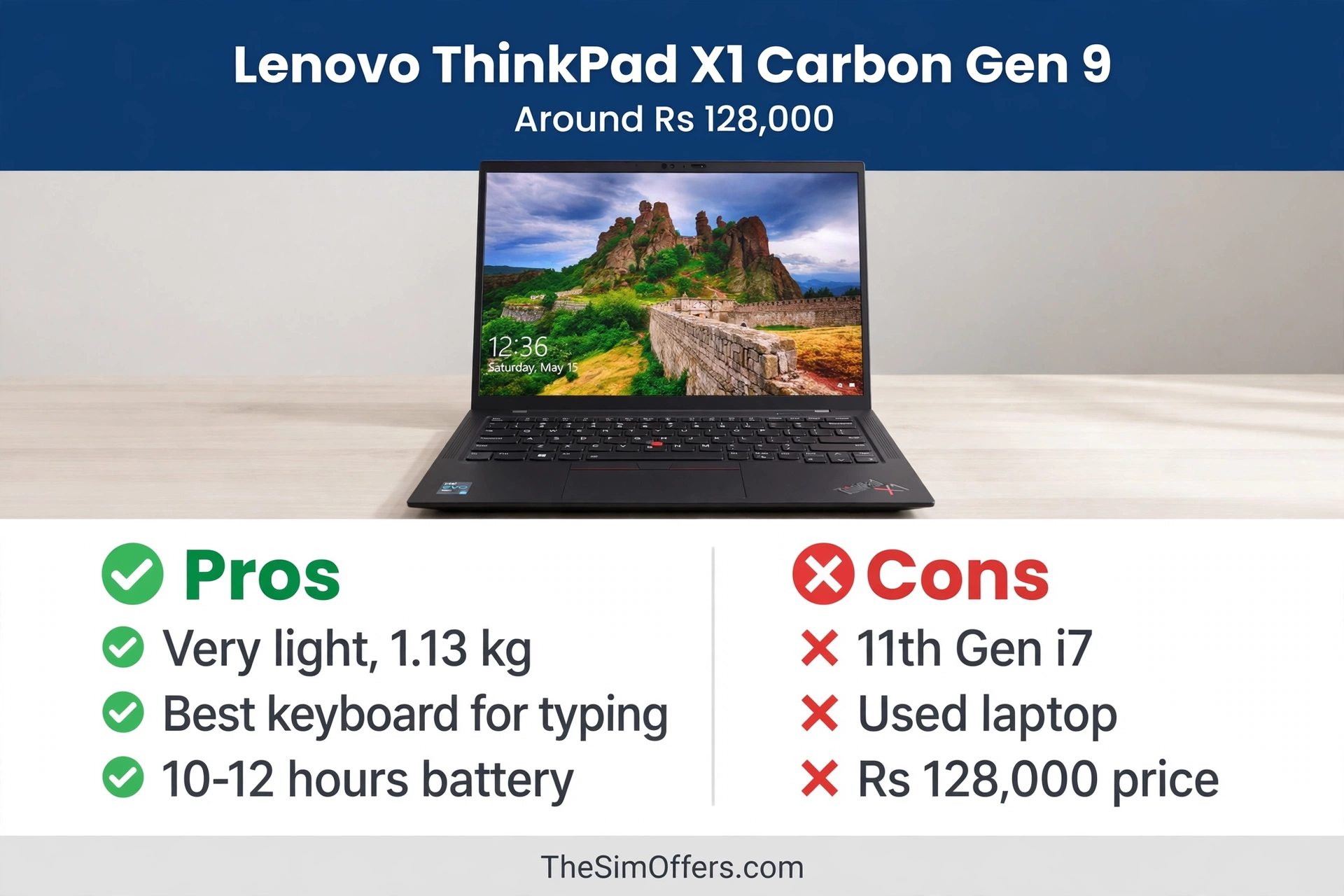
This is the laptop for people who type all day and meet clients on video calls. The keyboard is the best in this list — the keys feel right, and you can write for hours without your hands getting tired. At 1.13 kg it is the lightest Windows laptop here, and it looks smart and professional in meetings. The battery lasts 10 to 12 hours, which covers a full work day. It is a used laptop with an 11th Gen processor, so it is not the newest machine, but for writing, coding and client calls it is more than enough.
Who should buy it: writers, coders and freelancers who travel and meet clients often.
Who should skip it: designers and video editors who need a better screen or a GPU.
Pros:
- ✅ Very light, 1.13 kg
- ✅ Best keyboard for typing
- ✅ 10-12 hours battery
Cons:
- ❌ 11th Gen i7
- ❌ Used laptop
- ❌ Rs 128,000 price
Price in Pakistan: Around Rs 128,000 (used, 16GB / 512GB)
Processor: Intel Core i7-1165G7, 11th Gen
RAM: 16GB
Storage: 512GB SSD
Display: 14-inch Full HD
Battery: Around 10 to 12 hours
Weight: Around 1.13 kg
SIM / 4G Support: No built-in SIM slot in most units. Use a phone hotspot with a Jazz, Zong, Telenor, Ufone or Onic SIM, or a USB dongle.
Best for: This is best for freelancers who meet clients on video calls and travel a lot. It is very light. The keyboard is the best in this list for long typing days.
Lenovo IdeaPad Slim 3 — 13th Gen
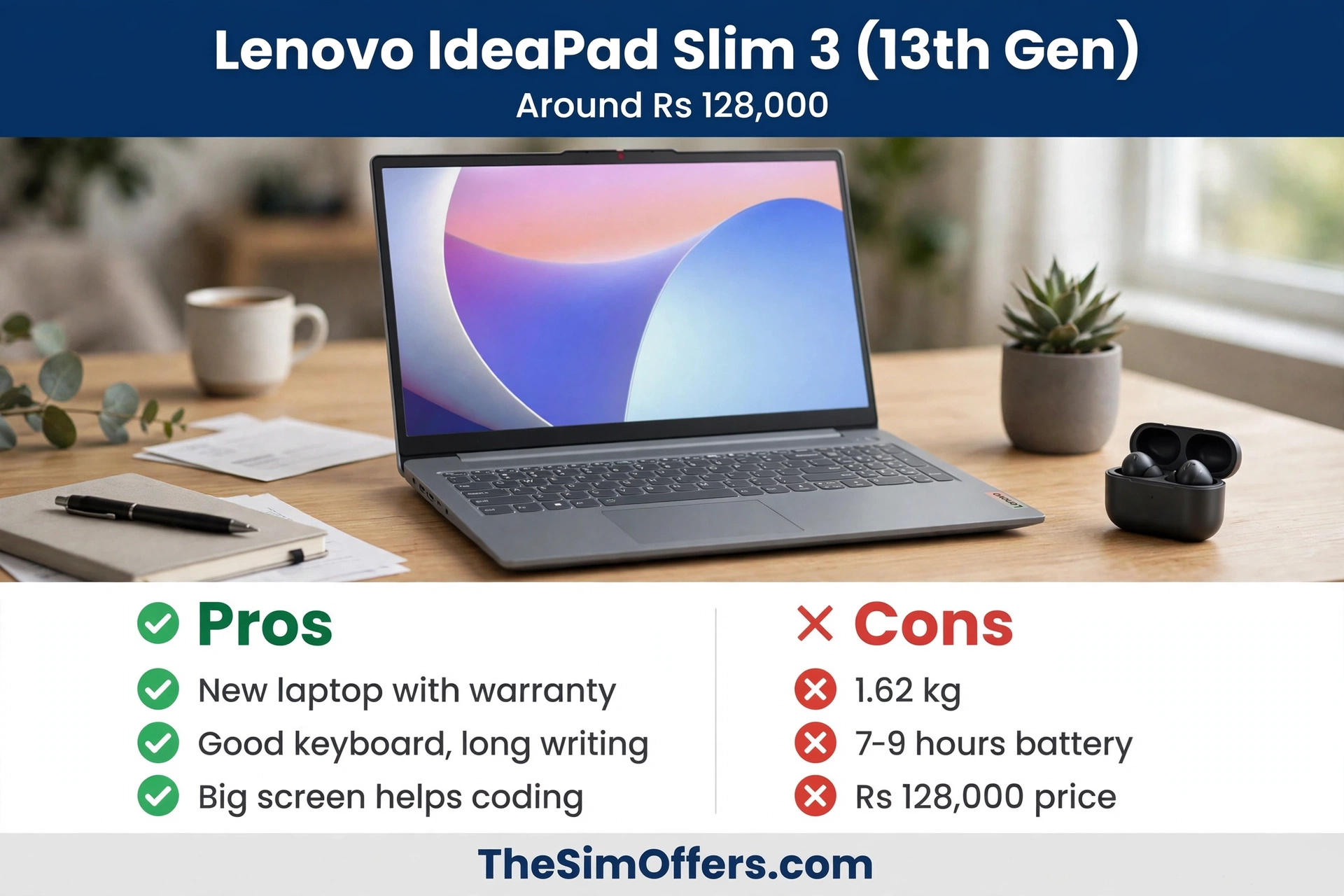
This is a new laptop with a warranty, and that is its biggest selling point. You do not have to worry about battery health or what the last owner did with it. The keyboard is good for long writing work, and the big 15.6-inch screen helps when you code — you can see more lines at once. The trade-off is the weight. At 1.62 kg it is one of the heaviest laptops in this list, so it is better on a desk than in a bag. The battery lasts 7 to 9 hours, which is fine for a work day but shorter than the ThinkPads here.
Who should buy it: writers and coders who want a new laptop with warranty and a big screen.
Who should skip it: freelancers who travel a lot — the X1 Carbon is much lighter for the same price.
Pros:
- ✅ New laptop with warranty
- ✅ Good keyboard, long writing
- ✅ Big screen helps coding
Cons:
- ❌ 1.62 kg
- ❌ 7-9 hours battery
- ❌ Rs 128,000 price
Price in Pakistan: Around Rs 128,000 (new, 16GB / 512GB, price range around Rs 115,000 to Rs 140,000)
Processor: Intel Core i5 13th Gen
RAM: 16GB
Storage: 512GB SSD
Display: 15.6-inch Full HD
Battery: Around 7 to 9 hours
Weight: Around 1.62 kg
SIM / 4G Support: No built-in SIM slot. Use a phone hotspot with a Jazz, Zong, Telenor, Ufone or Onic SIM, or a USB dongle.
Best for: This is best for writers and coders who want a new laptop with warranty. The keyboard is good for long writing work. The big screen helps with coding.
HP 15-FD Series
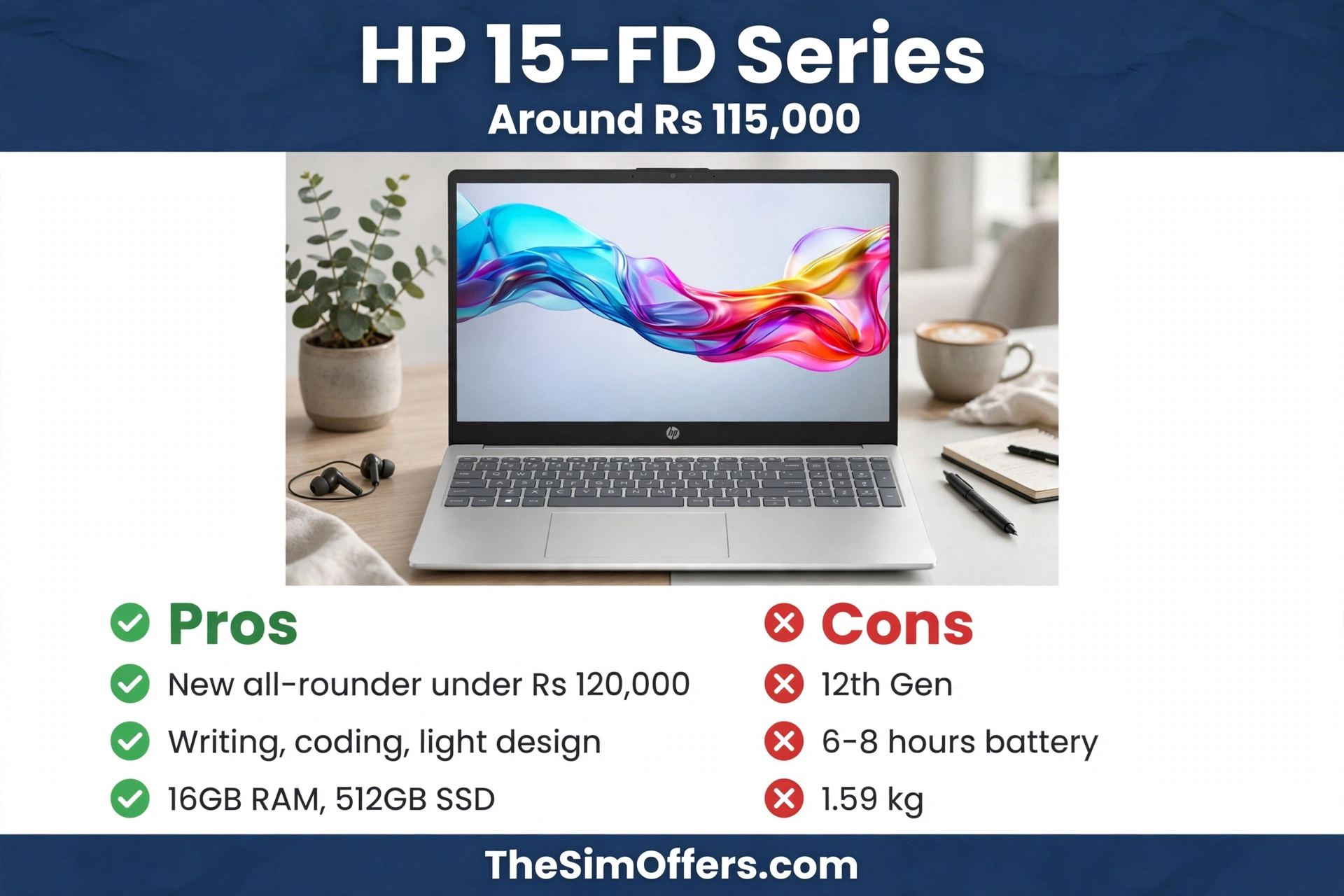
This is the all-rounder for new freelancers. For around Rs 115,000 you get a new laptop with 16GB RAM and 512GB storage, which is enough for writing, coding and light design work. The big 15.6-inch screen is good for working with two windows side by side. It is not a light laptop at 1.59 kg, and the battery lasts 6 to 8 hours, so keep the charger nearby. The 12th Gen processor is a step behind the newest models, but for everyday freelance work you will not feel the difference.
Who should buy it: new freelancers who want a new laptop under Rs 120,000 that does a bit of everything.
Who should skip it: designers who need a colour-accurate screen, and travellers who need a light laptop.
Pros:
- ✅ New all-rounder under Rs 120,000
- ✅ Writing, coding, light design
- ✅ 16GB RAM, 512GB SSD
Cons:
- ❌ 12th Gen
- ❌ 6-8 hours battery
- ❌ 1.59 kg
Price in Pakistan: Around Rs 115,000 (new, 16GB / 512GB, price range around Rs 105,000 to Rs 120,000)
Processor: Intel Core i5 12th Gen
RAM: 16GB
Storage: 512GB SSD
Display: 15.6-inch Full HD
Battery: Around 6 to 8 hours
Weight: Around 1.59 kg
SIM / 4G Support: No built-in SIM slot. Use a phone hotspot with a Jazz, Zong, Telenor, Ufone or Onic SIM, or a USB dongle.
Best for: This is best for new freelancers who want a new all-rounder laptop under Rs 120,000. It handles writing, coding, and light design work well.
Dell Vostro 3520
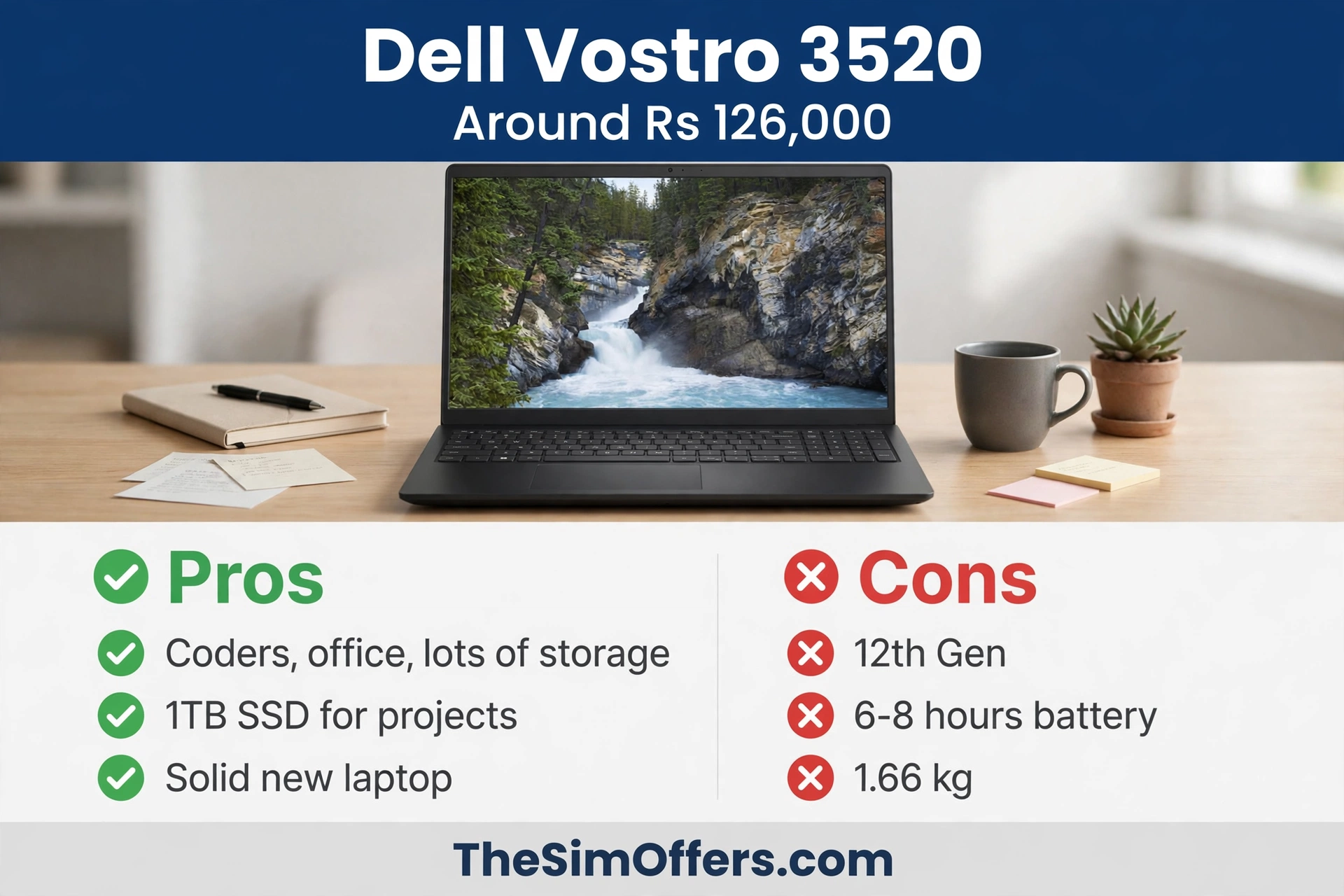
The 1TB storage is what sets this laptop apart. Most laptops in this price range give you 256GB or 512GB, but here you get room for years of projects, files and backups without buying an external drive. It is a solid new laptop with 16GB RAM, so it handles coding and office work well. The screen is a plain Full HD panel — fine for code and documents, not made for colour work. At 1.66 kg it is the heaviest laptop in this list, and the battery lasts 6 to 8 hours, so think of it as a desk laptop.
Who should buy it: coders and office freelancers who keep a lot of files and want a new laptop.
Who should skip it: designers who need a good screen, and anyone who carries their laptop around all day.
Pros:
- ✅ Coders, office, lots of storage
- ✅ 1TB SSD for projects
- ✅ Solid new laptop
Cons:
- ❌ 12th Gen
- ❌ 6-8 hours battery
- ❌ 1.66 kg
Price in Pakistan: Around Rs 126,000 (new, 16GB / 1TB SSD)
Processor: Intel Core i5-1235U, 12th Gen
RAM: 16GB
Storage: 1TB SSD
Display: 15.6-inch Full HD
Battery: Around 6 to 8 hours
Weight: Around 1.66 kg
SIM / 4G Support: No built-in SIM slot. Use a phone hotspot with a Jazz, Zong, Telenor, Ufone or Onic SIM, or a USB dongle.
Best for: This is best for coders and office freelancers who need a lot of storage. The 1TB SSD gives you room for projects and files. It is a solid new laptop for the price.
For Beginners — On a Low Budget
If you are just starting freelancing and your budget is low, a used business laptop is the smartest choice. These laptops are built strong, they last longer than new consumer laptops, and you can upgrade the RAM or SSD later. Start earning first, then buy a better laptop.
Lenovo ThinkPad T480
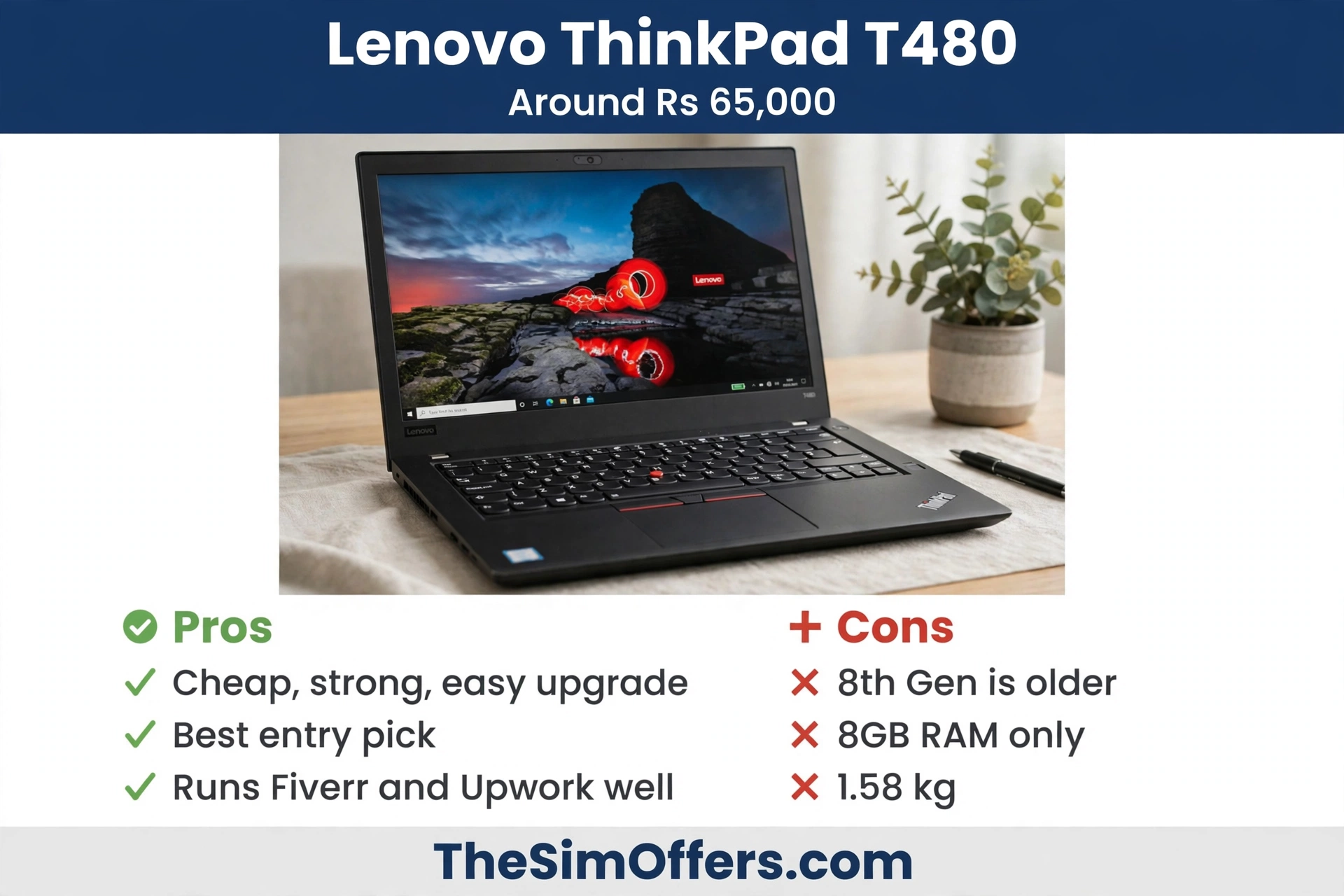
This is the cheapest honest start in this list. For around Rs 65,000 you get a strong business laptop that runs Fiverr, Upwork, Zoom and Office without trouble. The dual battery is a real plus — it can last 10 to 14 hours, which helps a lot during load shedding. You can also upgrade the RAM and SSD yourself later, when you start earning. It is an old machine, an 8th Gen processor with 8GB RAM, so do not expect it to handle heavy video work. Some units even have a WWAN slot for a SIM card, which is rare at this price — check the unit before you buy.
Who should buy it: first-year freelancers and anyone starting with a small budget.
Who should skip it: video editors and designers — the old processor and 8GB RAM will hold you back.
Pros:
- ✅ Cheap, strong, easy upgrade
- ✅ Best entry pick
- ✅ Runs Fiverr and Upwork well
Cons:
- ❌ 8th Gen is older
- ❌ 8GB RAM only
- ❌ 1.58 kg
Price in Pakistan: Around Rs 65,000 (used, 8GB / 256GB, price range around Rs 53,500 to Rs 87,500)
Processor: Intel Core i5-8350U, 8th Gen
RAM: 8GB (you can upgrade it to 16GB)
Storage: 256GB SSD
Display: 14-inch Full HD
Battery: Around 10 to 14 hours with dual battery
Weight: Around 1.58 kg
SIM / 4G Support: Some T480 units have a WWAN slot for a SIM card. Check the unit before you buy. If it has no SIM slot, use a phone hotspot with a Jazz, Zong, Telenor, Ufone or Onic SIM.
Best for: This is best for first-year freelancers. It is cheap, strong, and easy to upgrade. It runs Fiverr, Upwork, Zoom, and MS Office well. It is the best entry pick in this list.
Dell Latitude 5420
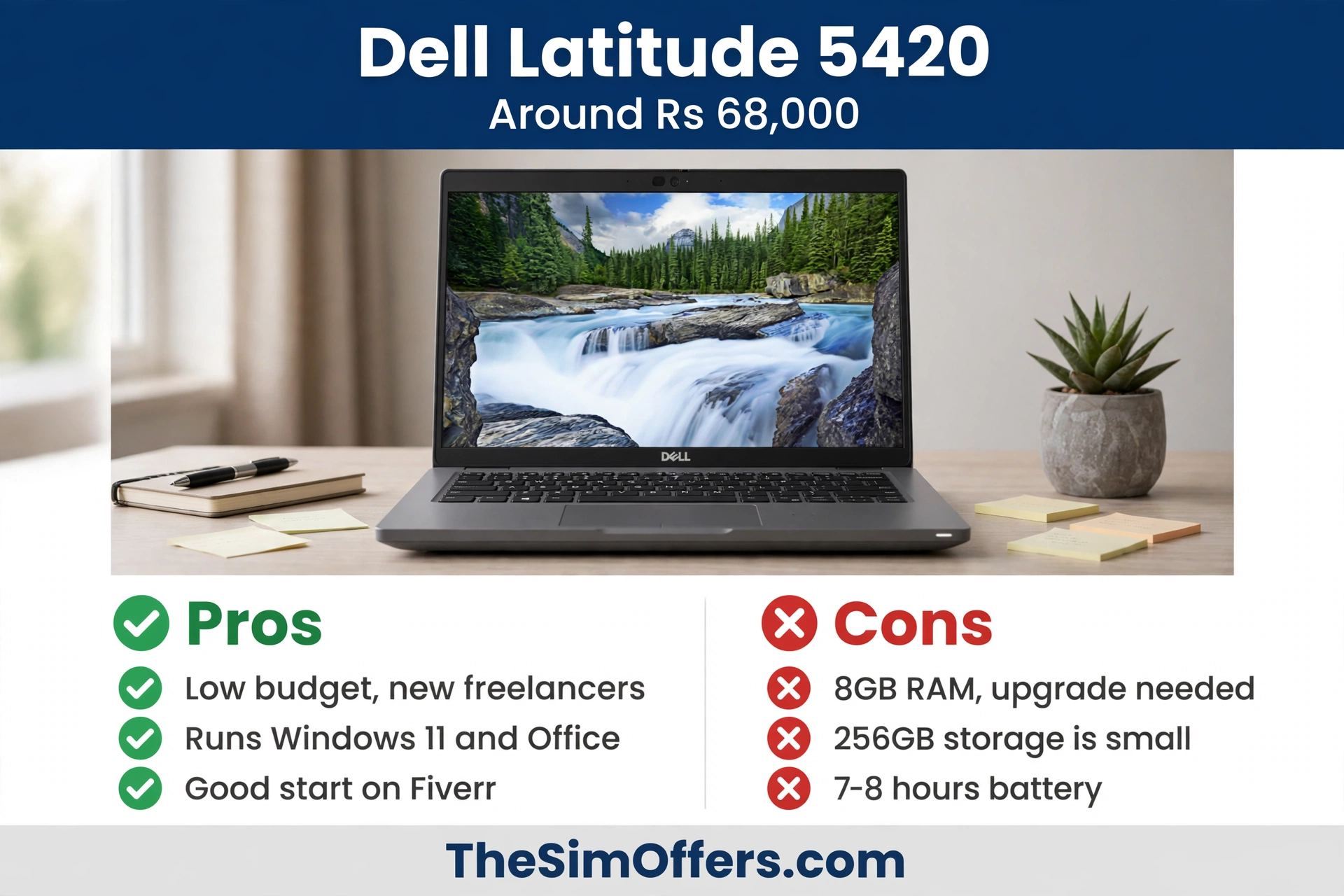
This is a simple, honest laptop for starting out. It runs Windows 11, Chrome and Office well, and it is light enough at 1.36 kg to carry around. The 11th Gen processor is newer than the T480, so it feels a bit quicker in daily use. The 8GB RAM is the limit — plan to upgrade it to 16GB when you can, because Chrome with many tabs will eat it up. The battery lasts 7 to 8 hours, which is enough for a work day if you are near a plug in the afternoon.
Who should buy it: new freelancers with a low budget who need a light laptop for writing and VA work.
Who should skip it: anyone who works with design or video, or opens many heavy apps at once.
Pros:
- ✅ Low budget, new freelancers
- ✅ Runs Windows 11 and Office
- ✅ Good start on Fiverr
Cons:
- ❌ 8GB RAM, upgrade needed
- ❌ 256GB storage is small
- ❌ 7-8 hours battery
Price in Pakistan: Around Rs 68,000 (used, 8GB / 256GB, price range around Rs 55,000 to Rs 75,000)
Processor: Intel Core i5-1135G7, 11th Gen
RAM: 8GB (upgrade to 16GB if you can)
Storage: 256GB SSD
Display: 14-inch Full HD
Battery: Around 7 to 8 hours
Weight: Around 1.36 kg
SIM / 4G Support: No built-in SIM slot. Use a phone hotspot with a Jazz, Zong, Telenor, Ufone or Onic SIM, or a USB dongle.
Best for: This is best for new freelancers with a low budget. It runs Windows 11, Chrome, and Office well. It is a good start if you are just starting on Fiverr or Upwork.
HP EliteBook 840 G8
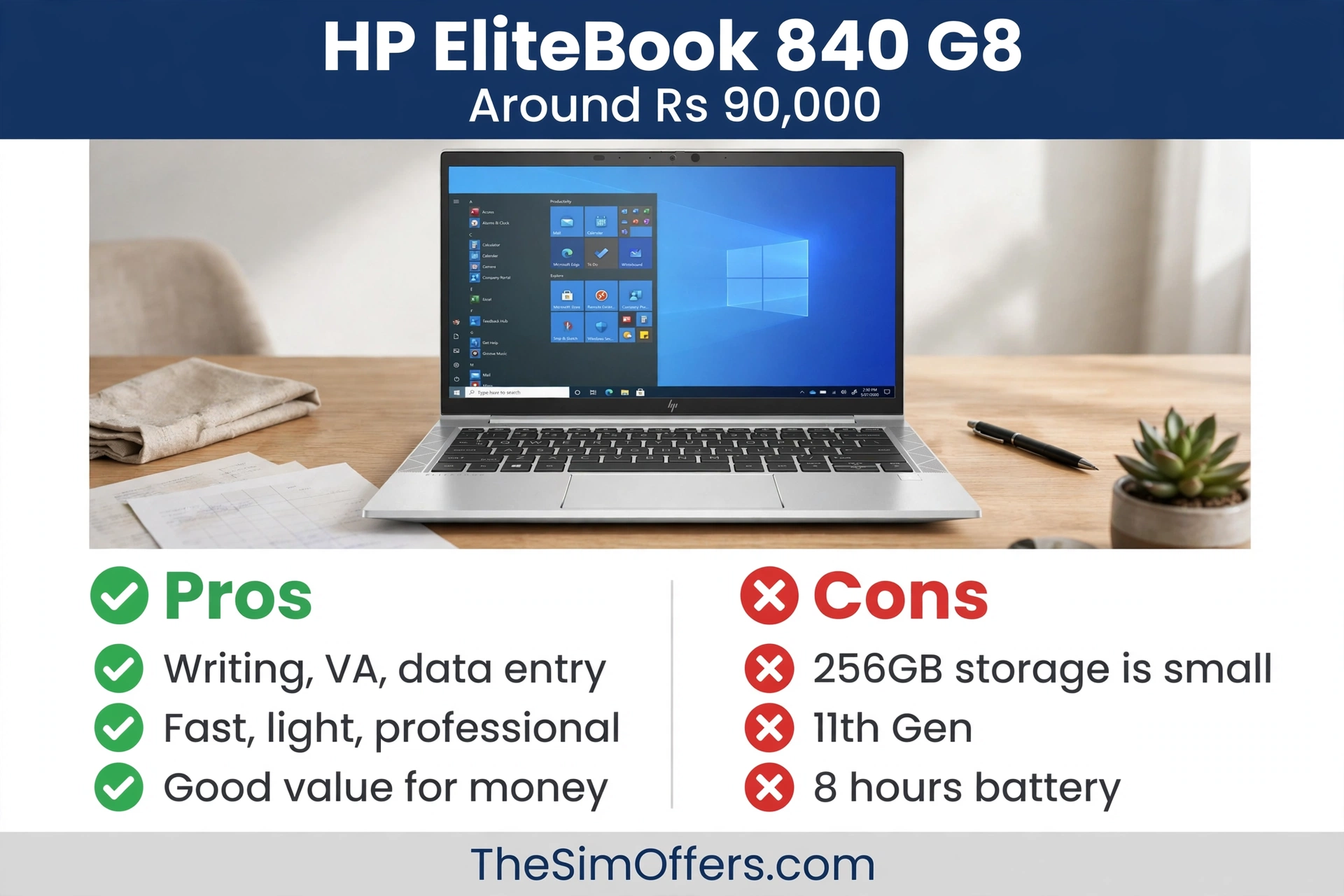
For around Rs 90,000 this is the best value in this list. You get 16GB RAM, which is the main thing — it keeps Word, Excel, Zoom and a browser full of tabs running at the same time without slowing down. The laptop is light, looks professional on video calls, and the build is strong because it was made for office use. The battery lasts around 8 hours, and 256GB storage is small, so you may need an external drive later. It is a used laptop, so check the screen and battery in the shop.
Who should buy it: writers, virtual assistants and data entry freelancers who want the best value.
Who should skip it: designers and video editors who need a better screen or more power.
Pros:
- ✅ Writing, VA, data entry
- ✅ Fast, light, professional
- ✅ Good value for money
Cons:
- ❌ 256GB storage is small
- ❌ 11th Gen
- ❌ 8 hours battery
Price in Pakistan: Around Rs 90,000 (used, 16GB / 256GB, price range around Rs 72,000 to Rs 110,000)
Processor: Intel Core i5-1135G7, 11th Gen
RAM: 16GB
Storage: 256GB SSD
Display: 14-inch Full HD
Battery: Around 8 hours
Weight: Around 1.36 kg
SIM / 4G Support: No built-in SIM slot in most units. Use a phone hotspot with a Jazz, Zong, Telenor, Ufone or Onic SIM, or a USB dongle.
Best for: This is best for writing, virtual assistance, and data entry work. It is fast, light, and looks professional on video calls. It is good value for money.
HP ProBook 440 G7
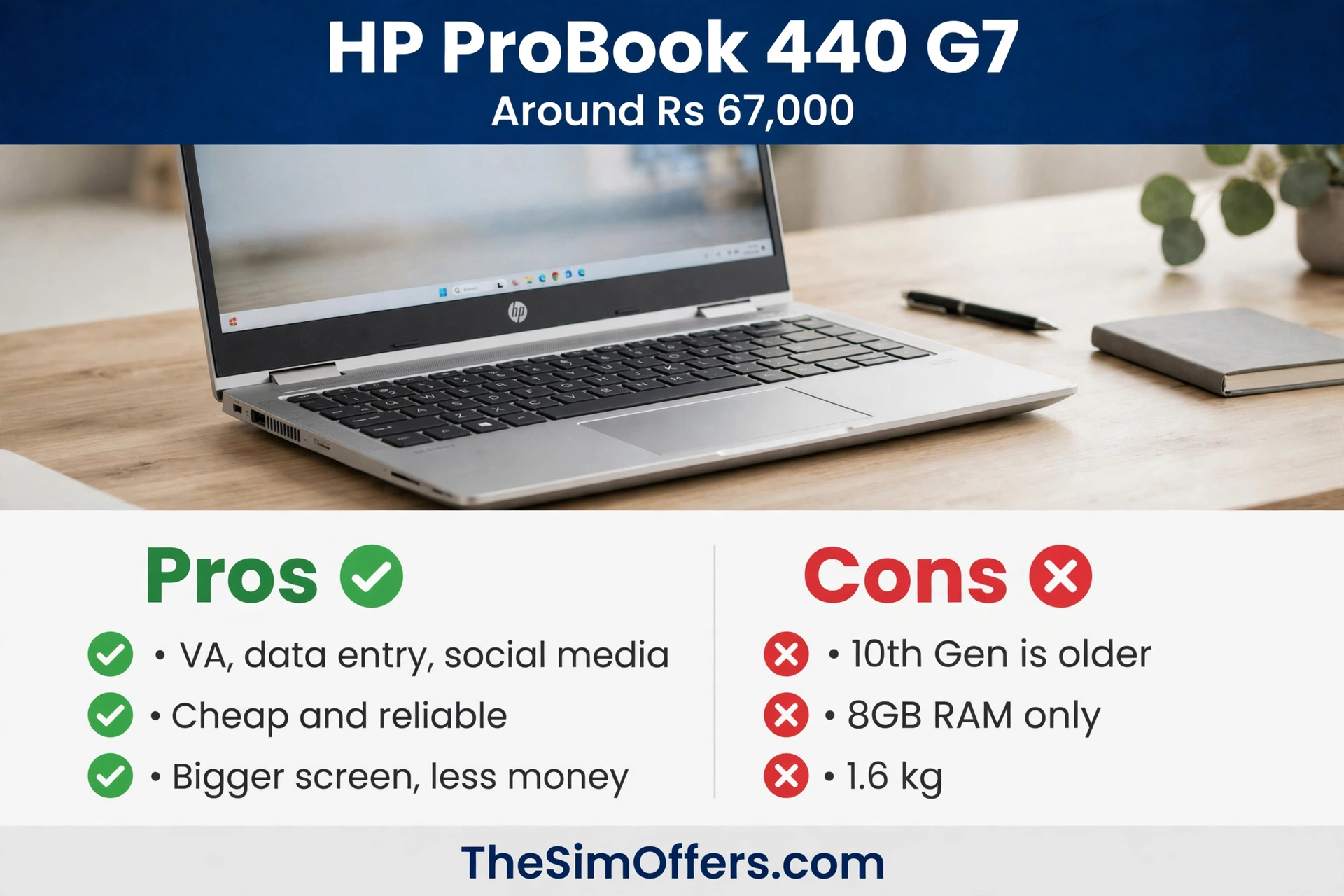
This is a plain, reliable laptop for basic freelance work. It handles VA work, data entry and social media without trouble, and the price is low. The 10th Gen processor is old but fine for Office and browser work. The 8GB RAM and 256GB storage are the limits — upgrade the RAM if you can. At 1.6 kg it is heavier than it looks, and the battery lasts 7 to 8 hours. Buy it for the price and the reliability, not for speed or looks.
Who should buy it: VA workers and data entry freelancers on a small budget who want a cheap, reliable start.
Who should skip it: anyone who does design, video or coding — get 16GB RAM instead.
Pros:
- ✅ VA, data entry, social media
- ✅ Cheap and reliable
- ✅ Bigger screen, less money
Cons:
- ❌ 10th Gen is older
- ❌ 8GB RAM only
- ❌ 1.6 kg
Price in Pakistan: Around Rs 67,000 (used, 8GB / 256GB)
Processor: Intel Core i5-10210U, 10th Gen
RAM: 8GB
Storage: 256GB SSD
Display: 14-inch Full HD
Battery: Around 7 to 8 hours
Weight: Around 1.6 kg
SIM / 4G Support: No built-in SIM slot. Use a phone hotspot with a Jazz, Zong, Telenor, Ufone or Onic SIM, or a USB dongle.
Best for: This is best for VA work, data entry, and social media work. It is cheap and reliable. It is a good pick if you want a bigger screen for less money.
Budget Guide: What You Get for Your Money
Under Rs 70,000: ThinkPad T480 (Rs 65,000), Dell Latitude 5420 (Rs 68,000) or HP ProBook 440 G7 (Rs 67,000). Enough for writing, VA and data entry. Upgrade the RAM to 16GB later.
Rs 90,000 to Rs 130,000: HP EliteBook 840 G8 (Rs 90,000), HP 15-FD (Rs 115,000), Dell Vostro 3520 (Rs 126,000) or ThinkPad X1 Carbon Gen 9 (Rs 128,000). In this range you get 16GB RAM and better battery — for most freelancers, this is the sweet spot.
Rs 190,000 to Rs 290,000: MacBook Air M1 (Rs 190,000), MacBook Air M2 (Rs 260,000) or Zenbook 14 OLED (Rs 288,999). For design and video work. If you have regular clients, this investment pays for itself.
Rs 340,000: MacBook Air M4. Buy it only if you are already earning well from design or video work. Such a big spend is not needed at the start.
Checklist: Before You Buy a Laptop
Keep this list with you before you go to the shop — especially when you buy a used laptop:
- Check the battery health. A used laptop can have a weak battery — your work should not stop during load shedding.
- Check the screen for dead pixels or lines — look at it on white and black colours.
- Test all the keyboard keys. In freelancing, typing is the work.
- Test the webcam and mic — on a client call, this is who you are.
- Check Wi-Fi and all USB ports.
- Verify the serial number and get a written checking warranty.
- Processor: Intel Core i5 8th Gen or newer, Ryzen 5, or Apple M1 or newer. Do not buy a 6th or 7th Gen Intel — Windows 11 does not run well on it.
- Storage: A 512GB SSD is better. Freelance files, design files and video clips take a lot of space.
- Shop: Buy from a known shop in Hafeez Center Lahore, Techno City Karachi or Blue Area Islamabad.
5 Steps to Start Freelancing
A laptop is only a tool — earning comes from skill and hard work. Start like this:
1. Master one skill: Writing, graphic design, video editing, coding or virtual assistance — be good at one thing, not half-good at everything.
2. Make a profile on Fiverr and Upwork: Add your skill, sample work and a clear photo. Take the first 2-3 orders at a low rate so you get reviews.
3. Keep a portfolio ready: Keep 3-5 samples of your best work in a folder or on Behance / GitHub. A client looks at your work first, not your degree.
4. Your first client: Take small orders at first, deliver on time and get a good review. One good review brings the next 10 orders.
5. Payment and backup: Arrange Payoneer or JazzCash / Easypaisa for payments in advance. And keep an internet backup — mobile data with your home Wi-Fi, so a client call is never missed during load shedding or when the net is down.
SIM and Internet: Never Miss a Client Call
Most laptops in this list have no built-in SIM slot. That is normal. There are three ways to stay online:
- Phone hotspot: Put a Jazz, Zong, Telenor, Ufone or Onic SIM in your phone and turn on the hotspot. The easiest way for client calls and uploads.
- USB 4G dongle: Put the SIM in a dongle and plug it into the laptop. Good for a cafe or a place with no Wi-Fi.
- Home Wi-Fi: Use PTCL, Nayatel or StormFiber for big uploads and long Zoom calls. Keep mobile data as a backup.
For freelancing, it is better to keep two SIMs — one for calls and one for data. Jazz and Zong have good coverage. Onic data bundles are cheap and suit freelancers. Check the bundle price before you buy a package.
FAQs
Which laptop is best for freelancing in Pakistan in 2026?
For most freelancers, the Lenovo ThinkPad X1 Carbon Gen 9 is the best value pick. For designers, the MacBook Air M4 is best. For new freelancers, the ThinkPad T480 is the best low-budget pick.
How much RAM do I need for Fiverr and Upwork work?
8GB RAM is enough for writing and VA work. 16GB RAM is better for coding, design, and video work. If you run many tabs and apps together, get 16GB RAM.
Can I start freelancing with a laptop under Rs 70,000?
Yes, you can. The ThinkPad T480 and Dell Latitude 5420 are good picks under Rs 70,000. They run Fiverr, Upwork, Zoom, and Office well. Upgrade the RAM later when you start earning.
Do these laptops have a SIM slot for Jazz or Zong SIM?
Most of them do not. Some ThinkPad T480 units have a WWAN slot. For other models, use a phone hotspot or a USB 4G dongle with a Jazz, Zong, Telenor, Ufone or Onic SIM.
Is MacBook better than Windows for freelancing?
MacBooks are best for design, video, and iOS work. They are silent and have long battery life. Windows laptops are best for coding, writing, and VA work. They cost less and you can upgrade them. Pick what fits your niche.
What should I check before I buy a used laptop for freelancing?
Check the battery health, screen, keyboard, webcam, and mic. Test Wi-Fi and all USB ports. Ask for a written checking warranty. Buy from a shop you trust.
Final Decision: Which Laptop Is for Whom
For most freelancers: Lenovo ThinkPad X1 Carbon Gen 9 (around Rs 128,000). Light, fast, great keyboard and looks professional on client calls.
For starting on a low budget: Lenovo ThinkPad T480 (around Rs 65,000). The cheapest good start. Upgrade it later.
Premium pick for design and video: Apple MacBook Air M4 (around Rs 340,000). Buy it only if you earn regularly from design or video work.
Disclaimer
Prices are approximate for the Pakistan market in October 2026. Prices change with the dollar rate, stock, and city. Check the price, warranty, and condition with the seller before you buy. TheSimOffers is not a seller. We only compare and guide.